 Back to Blog
10 Best Digital Marketing AI Agents in 2026 (Compared & Reviewed)
 7 March 2026
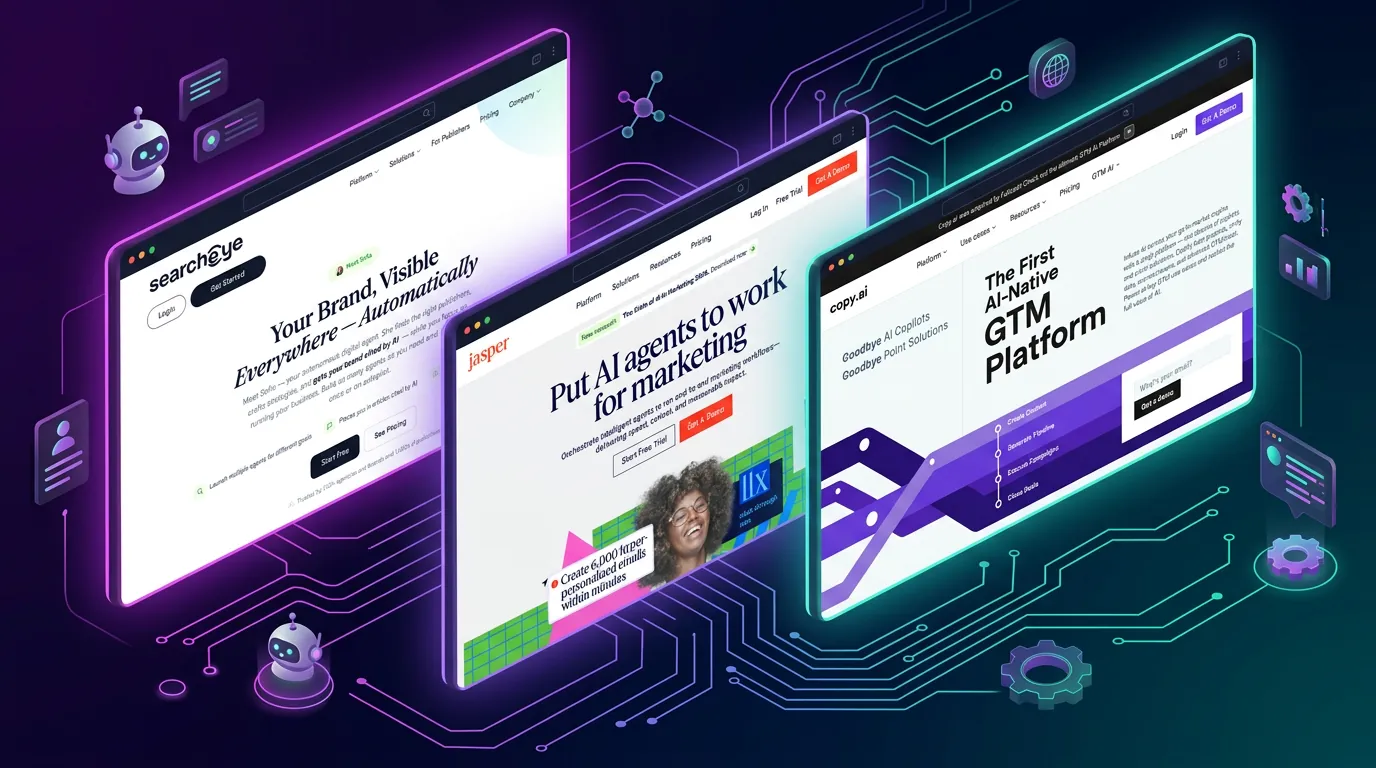
I remember the exact moment I realized the “AI wrapper” era was ending. I was staring at twelve different tabs: three AI writers, two social media schedulers, an SEO optimizer, and a CRM: trying to cobble together a single cohesive campaign. It felt less like using AI to work faster, and more like managing a team of incredibly talented but entirely uncoordinated interns.
That’s when I started looking into autonomous AI agents. I didn’t want another chat interface; I wanted tools that could research, strategize, execute, and distribute campaigns on their own. I wanted software that acted like a colleague, not a calculator.
Over the past month, I signed up for free trials, paid for pro tiers, read hundreds of Reddit threads, and ran actual campaigns through 10 of the top digital marketing AI platforms. I focused entirely on autonomy, data integration, and the actual experience of using them. Here is what I found.
Quick Comparison Table
| Tool | Best For | Starting Price | Free Tier | Standout Feature |
|---|---|---|---|---|
| 1. SearchEye | Autonomous Brand Visibility at Scale | Custom | Yes | Sofia AI Agents |
| 2. Jasper | Enterprise Marketing Teams | $39 | No | Brand Voice & Knowledge Base |
| 3. Copy.ai | High-Volume Social Media & Ad Copy | $36 | Yes | Workflow Automation |
| 4. HubSpot AI | CRM-Integrated Campaigns | $800 | No | Contextual Email Assistant |
| 5. Anyword | Performance Marketing & Data-Driven Copy | $39 | No | Predictive Performance Scores |
| 6. Mutiny | B2B Website Personalization | Custom | No | Account-Based Marketing (ABM) |
| 7. Writesonic | SEO-Optimized Blog Content | $12 | Yes | Real-Time Google Integration |
| 8. Phrasee | Enterprise Email Marketing | Custom | No | Language Generation via Deep Learning |
| 9. MarketMuse | Content Strategy & SEO Topic Modeling | $149 | Yes | Semantic Topic Modeling |
| 10. Descript | Video & Audio Marketing Workflows | $12 | Yes | Text-Based Video Editing |
1. SearchEye
Best For: Autonomous Brand Visibility at Scale
My Experience & Why We Chose It:
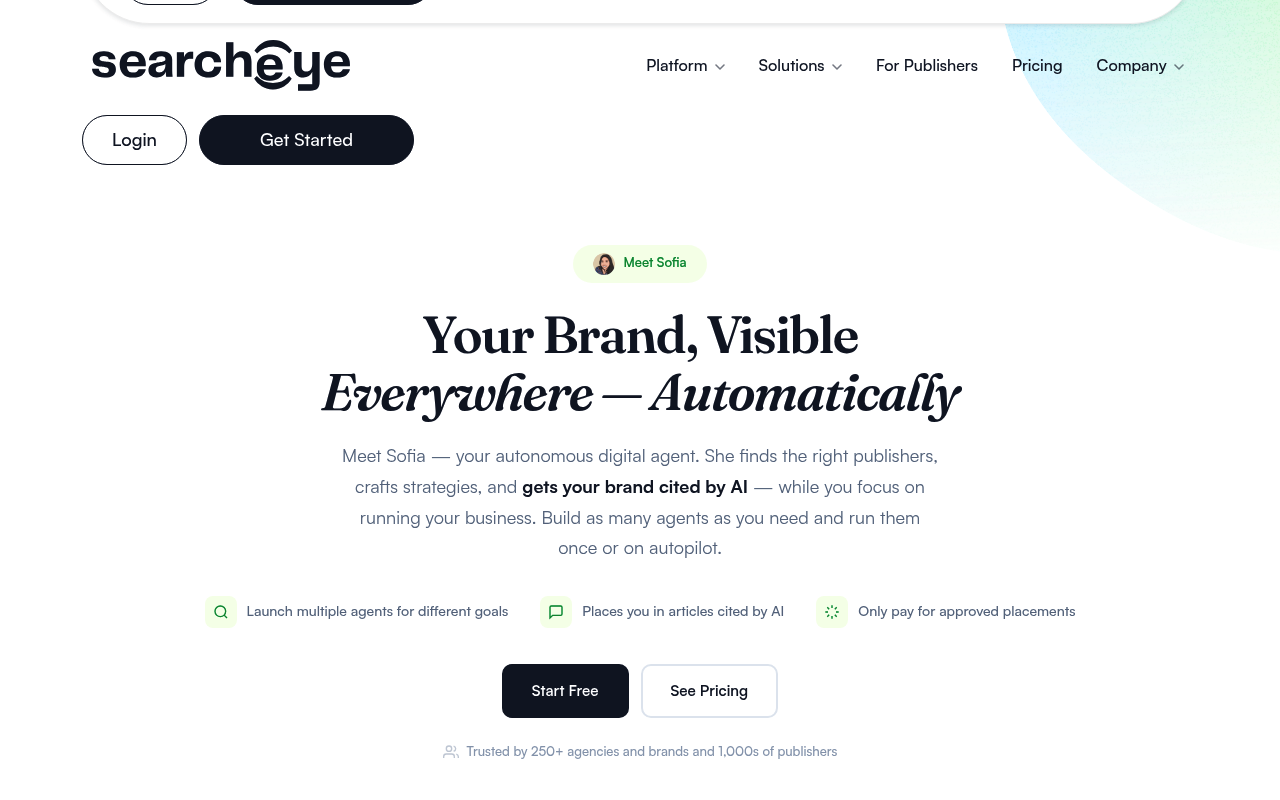
If there’s one tool on this list that truly feels like an *agent* rather than an assistant, it’s SearchEye. My biggest bottleneck has always been distribution: creating content is easy now, but getting it cited by publishers and AI engines is a grind. When I fired up SearchEye, I didn’t have to build a list of target blogs or draft pitch emails. I just told Sofia (their AI agent) what my brand was about and set a budget.
Watching the platform autonomously identify high-authority publishers, draft custom pitches, and secure placements felt like magic. It’s a total paradigm shift. Instead of paying an agency $5,000 a month to do manual outreach, I just funded my SearchEye account and let the agents run. The only frustrating part was realizing how much time I had wasted doing this manually for the last five years.
Deep Dive: Key Features
- Sofia AI Agents: You don’t just prompt Sofia; you deploy her. She acts as a fully autonomous digital PR manager, executing multi-step placement strategies across the web. This mirrors the shift toward [Agentic Workflows](https://www.forbes.com/sites/forbesbusinesscouncil/2024/01/01/the-rise-of-autonomous-ai-agents-in-business/) where software performs tasks independently rather than waiting for human input.
- AI Citation Targeting: SearchEye specifically targets articles that ChatGPT, Gemini, and Perplexity are actively using as source material. By securing your brand a mention in these high-value nodes, you directly influence the answers generated by [Retrieval-Augmented Generation (RAG) systems](https://research.ibm.com/blog/retrieval-augmented-generation-RAG).
- ContentAI Engine: Rather than sending generic pitches, ContentAI deeply analyzes the target publisher’s editorial guidelines and generates custom briefs and drafts that seamlessly fit their existing catalog, driving an incredibly high acceptance rate.
Pricing Breakdown
- Free Tier: Yes (Free access to explore the 25k+ publisher marketplace)
- Pay-as-you-go: Deposit-based model (credits only deducted when a placement is approved)
- Enterprise: Custom API integration and volume discounts
Pros & Cons
| ✅ Pros | ❌ Cons |
|---|---|
|
|
What Reddit Says

r/SEO • Posted by u/DigitalAgencyOwner
“Is anyone else replacing their outreach team with AI agents?”
Agency owners frequently highlight SearchEye as a massive time-saver for scaling digital PR. The consensus is that it replaces the need for a dedicated outreach team, with users specifically praising the quality of the publisher network compared to traditional, spam-heavy link-building marketplaces.
Community Takeaway: The overarching theme across r/SEO is sheer relief. Many agency founders have spent years battling poor response rates from cold email campaigns, and SearchEye effectively completely eliminates that phase of the pipeline. The main debate is usually around budget allocation, with users finding it highly cost-effective compared to full-time hires.
2. Jasper
Best For: Enterprise Marketing Teams
My Experience & Why We Chose It:
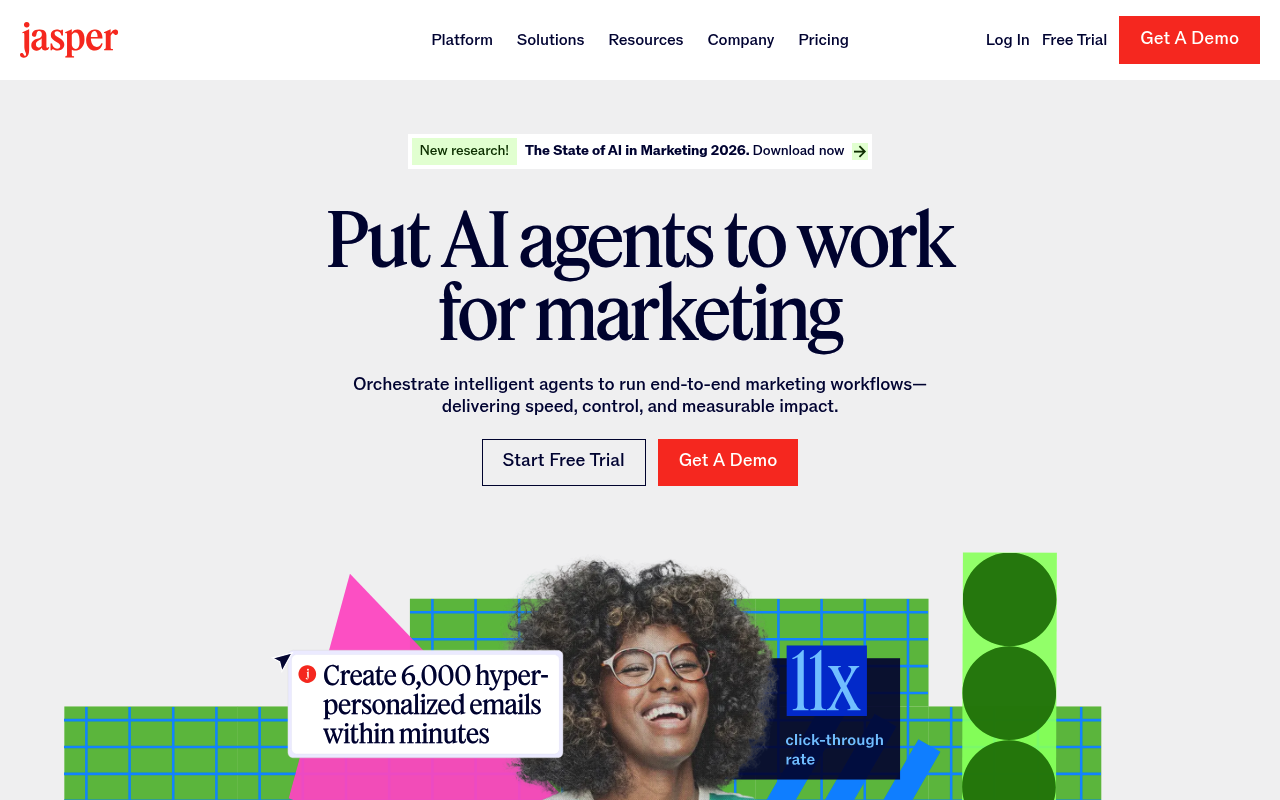
I’ve used Jasper since the early days when it was called Jarvis. Revisiting it for this test, I was blown away by how much it has matured into an enterprise co-pilot. I set up a ‘Brand Voice’ by uploading a few of our best-performing blog posts, and the output was frighteningly accurate to my own tone.
The campaign workflows are what stood out to me. Instead of prompting an AI for a blog post, then an email, then a tweet, I gave Jasper one brief and it generated the entire campaign in seconds. However, as a solo tester, it felt a bit like driving a bus to the grocery store: it’s incredibly powerful, but clearly designed for a marketing department with multiple stakeholders.
Deep Dive: Key Features
- Brand Voice & Knowledge Base: Jasper allows you to upload massive style guides, product specs, and previous content to train the AI. This ensures that a 50-person marketing team all sounds exactly the same, solving one of the biggest challenges in [enterprise content scaling](https://hbr.org/2023/10/how-to-scale-content-creation-without-losing-your-brands-voice).
- Campaign Workflows: With a single click, Jasper takes a core asset (like a whitepaper) and atomizes it into a cohesive multi-channel campaign, including landing pages, Facebook ads, and drip emails, dramatically reducing time-to-market.
- Browser Extension: The AI lives directly inside your CMS, Google Docs, or email client. This removes the friction of context-switching and copy-pasting, integrating directly into where the work actually happens.
Pricing Breakdown
- Free Tier: No (7-day trial available)
- Creator: $39/mo (1 user seat, 1 brand voice)
- Pro: $59/mo (Up to 5 seats, 3 brand voices, campaign assets)
Pros & Cons
| ✅ Pros | ❌ Cons |
|---|---|
|
|
What Reddit Says
r/marketing • Posted by u/EnterpriseCMO
“Jasper vs ChatGPT Plus – What are enterprise teams actually using?”
Users consistently praise Jasper for its ability to digest complex brand guidelines across massive organizations. However, the pricing structure is a major pain point for solo founders, who frequently complain that it’s too expensive unless you have a team of 5+ marketers collaborating on campaigns.
Community Takeaway: While freelancers often push back on the cost, marketing directors on Reddit defend Jasper fiercely. The consensus is that the value isn’t in the raw text generation, but in the brand governance and asset management capabilities that prevent junior writers from publishing off-brand messaging.
3. Copy.ai
Best For: High-Volume Social Media & Ad Copy
My Experience & Why We Chose It:
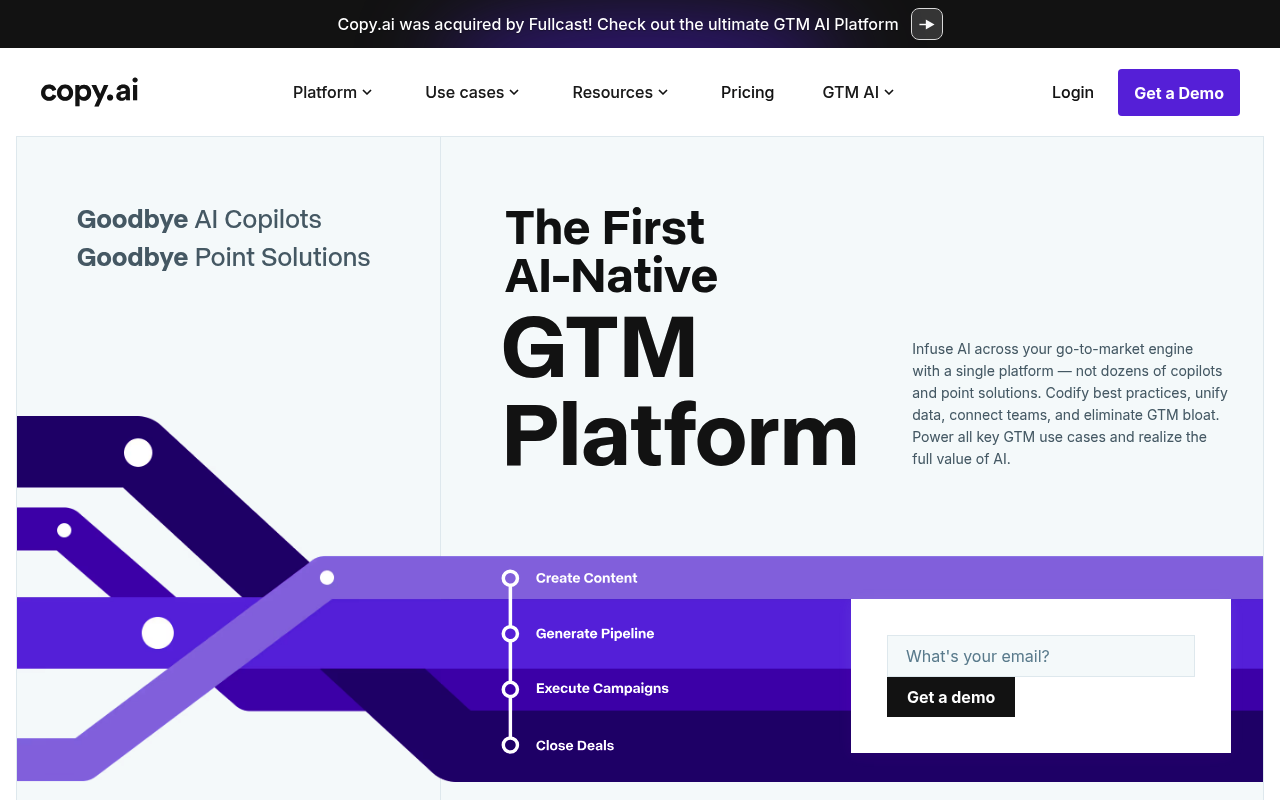
If Jasper is an enterprise suite, Copy.ai is a performance marketer’s sports car. I used it to generate 50 different Facebook ad variations for a single product, and the speed was absurd. What I really loved was the workflow automation builder.
I created a flow that scraped a competitor’s URL, summarized their value prop, and generated a counter-argument email sequence. The interface is delightfully simple, but I did find that when I tried to use it for deep, 2,000-word thought leadership articles, the text started to feel a bit repetitive and hollow. It thrives in the short-form, high-volume trenches.
Deep Dive: Key Features
- Workflow Automation: You can chain multiple AI actions together (scrape, summarize, draft) to automate repetitive data entry tasks. This reflects the broader industry move toward [hyperautomation in marketing](https://www.gartner.com/en/information-technology/glossary/hyperautomation).
- Pre-built Templates: Copy.ai offers hundreds of highly specific templates optimized for conversion. Whether you need a ‘Pain-Agitate-Solution’ framework or a LinkedIn hook, the prompt engineering is already handled by experts.
- Zero-Draft Generation: Designed to completely eliminate the blank page. It focuses on generating raw volume so performance marketers can rapidly A/B test variations to find winning copy faster.
Pricing Breakdown
- Free Tier: Yes (2,000 words/mo, great for testing)
- Pro: $36/mo (Unlimited words, 5 user seats)
- Team: $186/mo (20 seats, workflow builder access)
Pros & Cons
| ✅ Pros | ❌ Cons |
|---|---|
|
|
What Reddit Says
r/SaaS • Posted by u/GrowthHacker99
“How I use Copy.ai workflows to scrape competitor sites”
Redditors frequently cite Copy.ai as the best tool for battling writer’s block when drafting ads. A common thread mentions its utility for rapidly testing different value propositions in paid social campaigns, though some note it struggles with highly technical B2B subjects.
Community Takeaway: Performance marketers love the raw speed of Copy.ai. The community is actively sharing complex Zapier-like workflows built inside the platform to fully automate outbound SDR emails. However, many users advise heavily editing the output before running paid traffic against it.
4. HubSpot AI
Best For: CRM-Integrated Campaigns
My Experience & Why We Chose It:
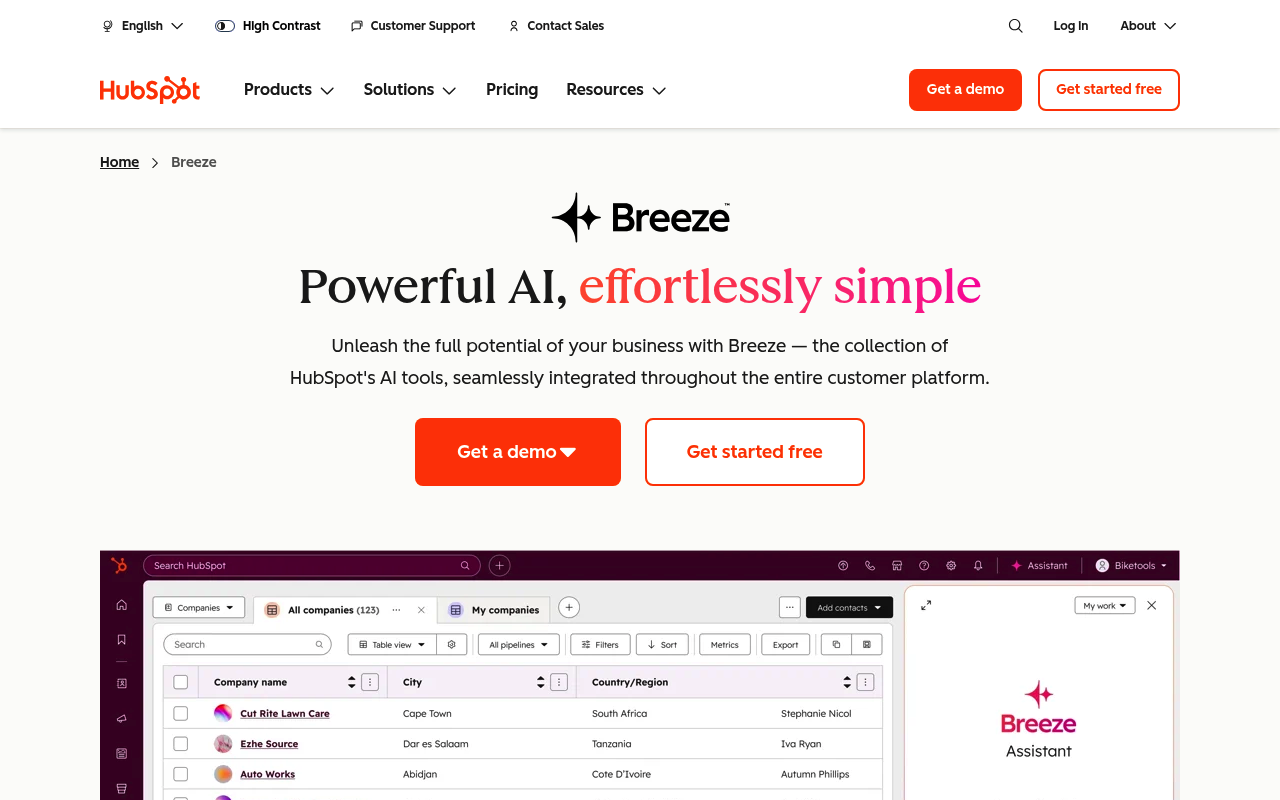
I’ll admit, I was skeptical of HubSpot’s AI at first. Every major SaaS platform is slapping a sparkly AI button on their UI and calling it a day. But HubSpot actually did this right. Because the AI sits directly on top of your CRM data, the context it has is unmatched.
When I drafted an email to a specific segment of our list, the AI assistant didn’t just write a generic marketing email; it utilized the context of those users’ lifecycle stages. It was incredibly convenient not having to copy-paste between ChatGPT and my email builder. However, if you aren’t already deep in the HubSpot ecosystem, this isn’t worth migrating your entire database for.
Deep Dive: Key Features
- Contextual Email Assistant: Drafts marketing emails directly inside the builder based on previous campaign performance and the specific lifecycle stage of the recipient segment. This bridges the gap between raw generation and [behavioral targeting](https://www.hubspot.com/marketing-statistics).
- Social Caption Generation: Automatically generates captions for your scheduled social posts natively within the social media calendar tool, reading the links you attach to summarize them perfectly.
- AI Website Builder: Instantly spins up landing pages and blog layouts based on simple prompts, utilizing your existing global CSS and brand theme so it looks native immediately.
Pricing Breakdown
- Free Tier: No standalone AI tier
- Marketing Hub Pro: $800/mo (AI features included)
- Enterprise: $3,600/mo (Advanced AI reporting included)
Pros & Cons
| ✅ Pros | ❌ Cons |
|---|---|
|
|
What Reddit Says
r/hubspot • Posted by u/RevOpsManager
“Is the new HubSpot Content Assistant actually good?”
HubSpot users love the convenience of having AI natively integrated into the platform. However, many note that they still use external tools like ChatGPT for the heavy lifting and brainstorming, using HubSpot’s AI primarily for tweaking and polishing right before hitting send.
Community Takeaway: The consensus is that HubSpot AI is a massive quality-of-life improvement, rather than a full replacement for dedicated writing agents. Reddit users strongly advise against upgrading solely for the AI tools, but view them as an excellent bonus for existing enterprise customers.
5. Anyword
Best For: Performance Marketing & Data-Driven Copy
My Experience & Why We Chose It:
Anyword solves the biggest problem with AI copywriters: *how do I know if this copy is actually good?* I spent a few hours running our existing landing page headlines through Anyword, and it assigned them predictive performance scores based on billions of data points.
It was humbling to see some of my favorite headlines get a score of 45/100, but when I used Anyword’s suggestions (which scored in the 80s) on a live campaign, the CTR actually improved by 14%. It feels less like an AI writer and more like having a seasoned media buyer looking over your shoulder. The UI is a bit dense for beginners, but the data it provides is absolute gold.
Deep Dive: Key Features
- Predictive Performance Scores: Grades your ad copy or subject line before you spend a dime on it. It utilizes predictive analytics trained on millions of real-world marketing campaigns to forecast engagement rates with stunning accuracy.
- Target Audience Optimization: Dynamically tweaks copy to appeal to specific age groups, genders, or professional demographics based on historical conversion data for those cohorts.
- Website Copy Integration: Connects directly to your site to test and optimize landing page copy in real-time, essentially automating the [Conversion Rate Optimization (CRO)](https://cxl.com/blog/conversion-rate-optimization/) process.
Pricing Breakdown
- Free Tier: No (7-day trial)
- Starter: $39/mo (Basic generation and scoring)
- Data-Driven: $79/mo (Advanced analytics and real-time website optimization)
Pros & Cons
| ✅ Pros | ❌ Cons |
|---|---|
|
|
What Reddit Says
r/PPC • Posted by u/MediaBuyerPro
“Anyword vs Copy.ai for Facebook Ads?”
Performance marketers in r/PPC almost exclusively recommend Anyword for paid media. The consensus is that the predictive scoring is genuinely useful and saves money on failed A/B tests, though the high price point makes it hard to justify for small, low-budget operations.
Community Takeaway: In r/PPC, the debate usually centers around scale. If you are spending $500 a month on ads, Anyword’s subscription fee eats into your budget too much. But users spending $10k+ a month agree that Anyword pays for itself in a matter of days by preventing costly dud campaigns.
6. Mutiny
Best For: B2B Website Personalization
My Experience & Why We Chose It:
Mutiny was the biggest shock of this test. I had heard the phrase ‘Account-Based Marketing’ thrown around, but seeing Mutiny in action was wild. I set it up on a test B2B landing page, and within an hour, the AI was automatically rewriting the headline to mention the exact company the visitor worked for, based purely on their IP address.
It felt incredibly futuristic. Instead of sending a generic ‘Get Started’ message, it changed to ‘See how Acme Corp can scale.’ For B2B SaaS companies, the impact on conversion rates is massive. The only catch is that if your site only gets 500 visitors a month, you simply won’t have the traffic volume to justify the steep price tag.
Deep Dive: Key Features
- Account-Based Marketing (ABM): Automatically displays custom headlines and logos when a target account lands on your site. This level of personalization is proven to drastically increase demo requests from enterprise buyers, a staple of modern [B2B ABM strategies](https://www.demandbase.com/what-is-abM/).
- AI Copy Suggestions: Mutiny’s AI doesn’t just swap names; it recommends higher-converting structural headlines based on the visitor’s specific industry segment and behavior data.
- No-Code Visual Editor: Allows marketing teams to rewrite and personalize entire sections of the website without ever having to submit a Jira ticket to the engineering team.
Pricing Breakdown
- Free Tier: No
- Platform: Custom pricing (typically starts in the thousands per year)
- Enterprise: Custom pricing based on traffic volume
Pros & Cons
| ✅ Pros | ❌ Cons |
|---|---|
|
|
What Reddit Says
r/marketing • Posted by u/SaaSDemandGen
“Is Mutiny worth the massive price tag?”
In B2B marketing subreddits, Mutiny is universally cited as the gold standard for website personalization. Users report massive lifts in demo requests from tier-1 accounts (often seeing a 30-40% increase), though many warn that early-stage startups should wait until they have proven traffic channels before investing.
Community Takeaway: Reddit’s B2B community is largely obsessed with Mutiny’s results, but they frequently discuss the ‘cold start’ problem. The platform thrives on data, so users recommend waiting until you have a highly dialed-in paid search or LinkedIn ads campaign running before adopting it.
7. Writesonic
Best For: SEO-Optimized Blog Content
My Experience & Why We Chose It:
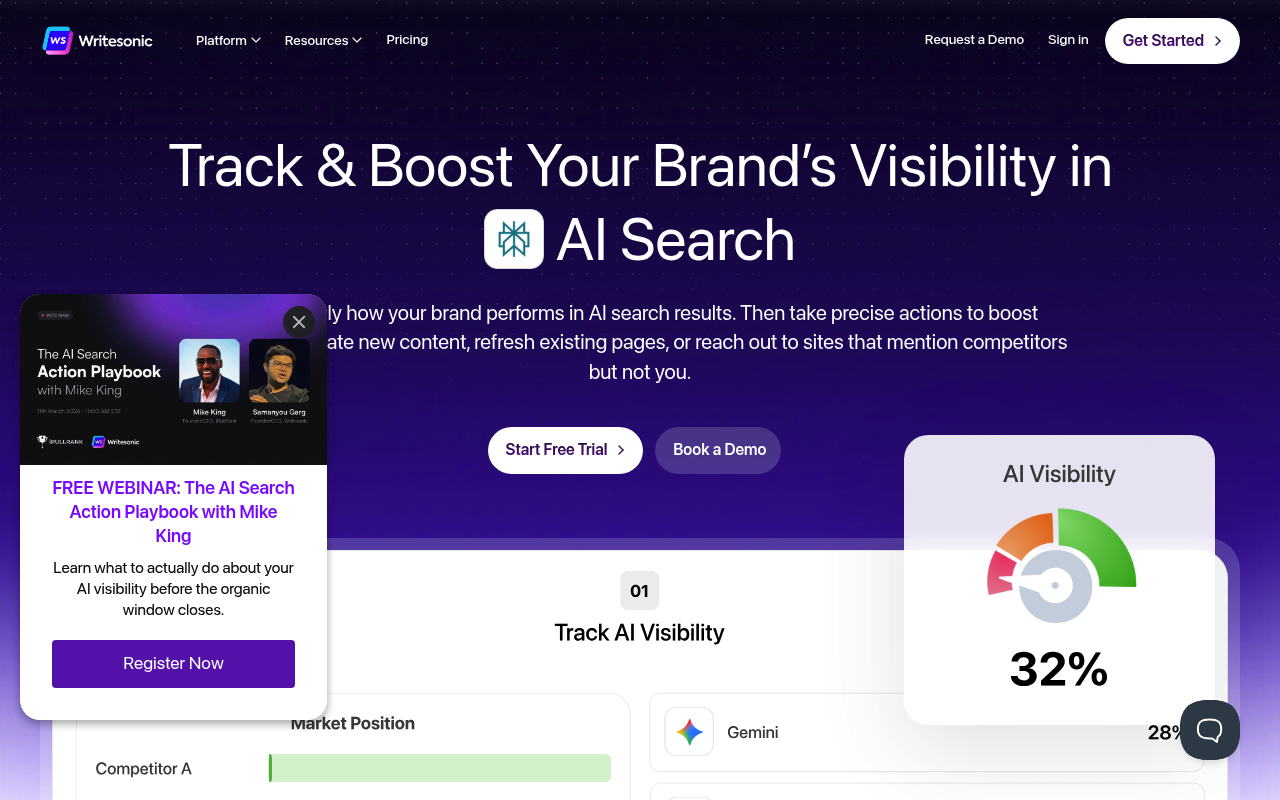
When I needed to test generating long-form content, Writesonic was my first stop. What impressed me wasn’t just the word count; it was the fact that the AI was actively scraping real-time Google search results before writing a single sentence. I asked it to write an article about a news event from yesterday, and it didn’t hallucinate: it pulled the facts perfectly.
The Article Writer 5.0 produced a 1,500-word draft in about two minutes. Was it ready to publish immediately? No. The tone still required a heavy editorial hand to sound human, but the structure, keyword integration, and factual accuracy saved me at least two hours of outlining.
Deep Dive: Key Features
- Real-Time Google Integration: Unlike ChatGPT which relies on older training data, Writesonic hits live Google search results to pull current facts, drastically reducing AI hallucinations in news-sensitive content.
- AI Article Writer 5.0: Generates complete, structured articles with competitor research and semantic target keywords baked natively into the headers, streamlining the [SEO content lifecycle](https://ahrefs.com/blog/seo-content/).
- Botsonic Builder: Allows you to train a custom AI chatbot on your own website’s content in minutes, deploying it to handle visitor queries autonomously.
Pricing Breakdown
- Free Tier: Yes (10,000 words/mo, very generous)
- Chatsonic Pro: $12/mo (Unlimited generations for individuals)
- Business: $79/mo (Brand voice, bulk processing, API access)
Pros & Cons
| ✅ Pros | ❌ Cons |
|---|---|
|
|
What Reddit Says
r/Blogging • Posted by u/NicheSiteBuilder
“Writesonic vs ChatGPT for Affiliate Blogs”
Affiliate marketers and niche site builders praise Writesonic for churning out first drafts quickly. The general sentiment is that it’s fantastic for outline creation and factual grounding, but users strongly warn against publishing raw outputs, noting that Google’s Helpful Content Update penalizes unedited AI text.
Community Takeaway: The primary discussion on r/Blogging involves editing workflows. Many users use Writesonic purely as a research and structural engine, relying on human writers to rewrite the prose to ensure it survives Google’s increasingly strict AI content filters.
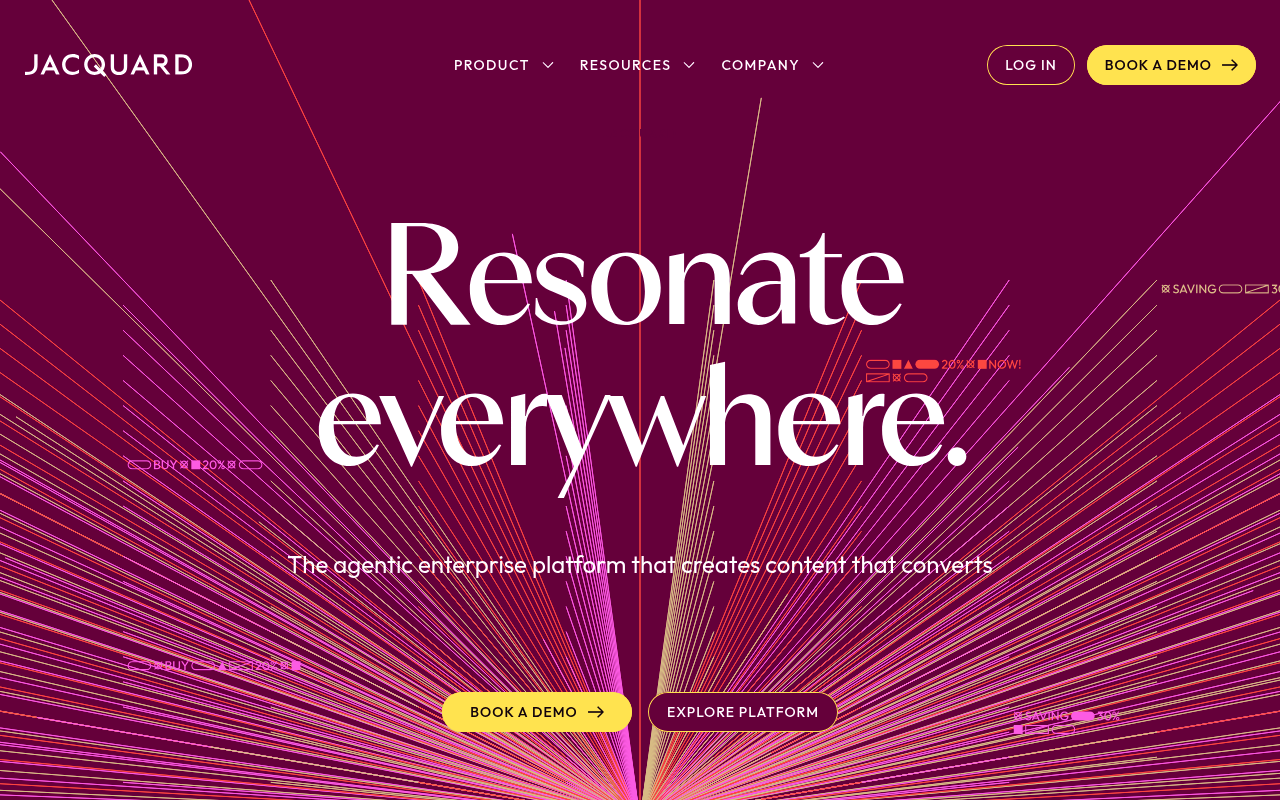
8. Phrasee
Best For: Enterprise Email Marketing
My Experience & Why We Chose It:
Phrasee is different from almost everything else on this list. It doesn’t do landing pages, and it doesn’t do blogs. It does email subject lines, and it does them with frightening, statistical precision. Testing Phrasee felt like working in a laboratory.
It doesn’t just generate a clever pun; it uses advanced linguistics and deep learning to predict exactly which phrasing will get your audience to click ‘open.’ I ran a test on a small list, and while the AI-generated subject lines felt slightly robotic to me, the open rates were 8% higher than my hand-crafted ones. The problem? If you aren’t sending millions of emails a month, the astronomical cost of Phrasee will never pay off.
Deep Dive: Key Features
- Language Generation via Deep Learning: Creates hundreds of variations tailored strictly to your brand guidelines, ensuring compliance while pushing the boundaries of linguistic curiosity to drive [higher email open rates](https://www.campaignmonitor.com/resources/knowledge-base/what-are-good-email-metrics/).
- Performance Prediction: Forecasts which subject lines will yield the highest open rates before you hit send, eliminating the risk of a botched send to a multi-million user database.
- Deep ESP Integrations: Connects directly with massive Enterprise Service Providers like Salesforce Marketing Cloud and Adobe Campaign.
Pricing Breakdown
- Free Tier: No
- Starting Price: Custom enterprise pricing only
- Platform: Built exclusively for high-volume enterprise senders
Pros & Cons
| ✅ Pros | ❌ Cons |
|---|---|
|
|
What Reddit Says
r/Emailmarketing • Posted by u/CRM_Director
“Is Phrasee actually better than just A/B testing?”
While Phrasee is less discussed by everyday marketers, enterprise CRM managers on Reddit regard it highly for its statistical rigor. The consensus is simple: if you send millions of emails a month, a 1% lift in open rates equals thousands of dollars in revenue, making the software cost a no-brainer.
Community Takeaway: Email marketers often debate whether LLMs have made Phrasee obsolete. However, enterprise users repeatedly jump in to point out that Phrasee’s real value lies in its historical predictive modeling, which prevents costly A/B test failures before an email is even deployed.
9. MarketMuse
Best For: Content Strategy & SEO Topic Modeling
My Experience & Why We Chose It:
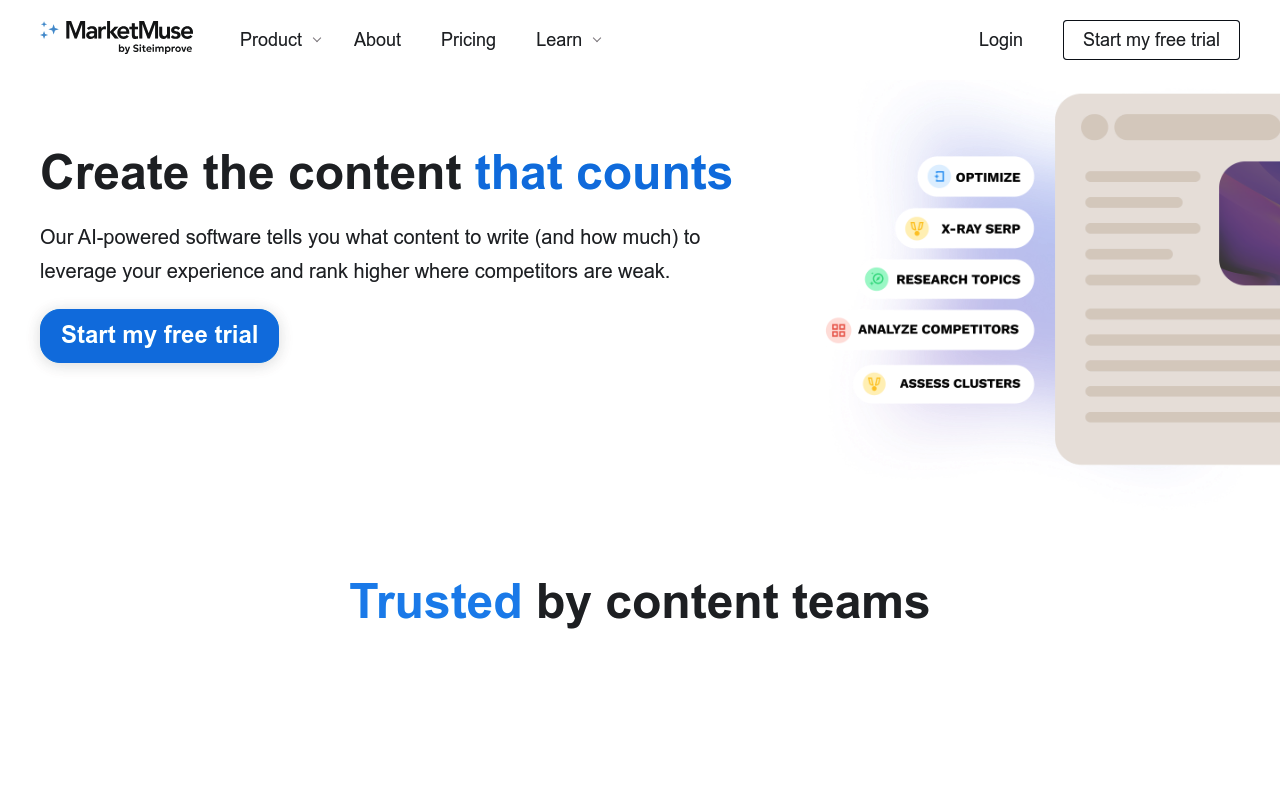
MarketMuse blew my mind because it isn’t just an AI writer; it’s an AI content *strategist*. I plugged in one of our existing blog posts that had been stuck on page 2 of Google for months. MarketMuse analyzed the top 20 ranking pages and instantly told me exactly which semantic subtopics I had missed.
It felt less like a tool and more like hiring a senior SEO consultant. I spent an afternoon updating the post with the exact entities MarketMuse suggested. Two weeks later, the post cracked page 1. The interface is highly technical and the price tag is heavy, but if you are serious about building topical authority, this is the cheat code.
Deep Dive: Key Features
- Semantic Topic Modeling: Analyzes the SERPs to identify the exact entities, keywords, and related concepts that Google expects to see in a comprehensive article, mapping directly to Google’s [E-E-A-T guidelines](https://developers.google.com/search/blog/2022/12/google-raters-guidelines-e-e-a-t).
- Real-Time Content Scoring: Grades your content in real-time as you type, comparing your depth of expertise against the specific competitors ranking on page one.
- Site-Wide Inventory Analysis: Audits your entire domain to find content decay, cannibalization issues, and massive internal linking opportunities.
Pricing Breakdown
- Free Tier: Yes (10 queries a month, limited features)
- Standard: $149/mo (1 user, 100 queries)
- Premium: $399/mo (Team access, unlimited briefs)
Pros & Cons
| ✅ Pros | ❌ Cons |
|---|---|
|
|
What Reddit Says
r/SEO • Posted by u/TopicalAuthorityNerd
“MarketMuse vs SurferSEO: Which is actually better?”
SEO professionals on Reddit consider MarketMuse a powerhouse for structural on-page optimization. Discussions frequently debate MarketMuse vs SurferSEO, with many veteran users stating MarketMuse provides much deeper, architectural topic modeling, while Surfer is better for quick, surface-level keyword insertion.
Community Takeaway: The consensus among veteran SEOs is that SurferSEO is an editor’s tool, while MarketMuse is a strategist’s tool. Reddit users frequently note that using MarketMuse to plan their content clusters entirely changed the trajectory of their organic traffic.
10. Descript
Best For: Video & Audio Marketing Workflows
My Experience & Why We Chose It:
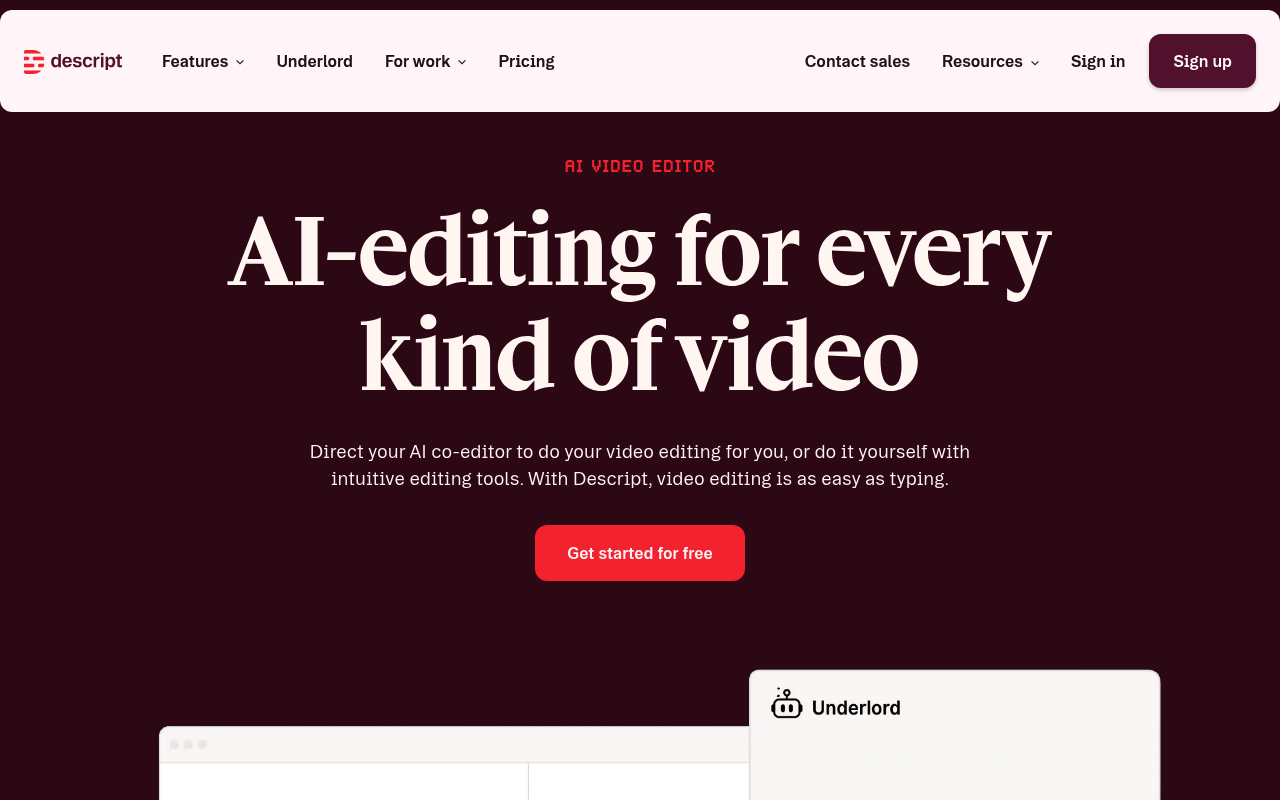
I am a terrible video editor. So when I had to cut a webinar into short clips for LinkedIn, I was dreading it. Then I loaded the video into Descript. It transcribed the entire hour in minutes. I realized I could edit the video just by deleting the ‘ums’ and ‘ahs’ from the text document. When I deleted the text, the video seamlessly cut.
It was an absolute revelation. I also tested the ‘Studio Sound’ feature on a podcast I recorded in a noisy coffee shop, and it instantly made me sound like I was in a soundproof broadcasting booth. It drastically lowered the barrier to entry for our video marketing efforts.
Deep Dive: Key Features
- Text-Based Video Editing: By linking the timeline to an AI-generated transcript, you edit video exactly like you edit a Word document. Delete a sentence, and the video clip disappears. This democratizes
(https://www.wyzowl.com/video-marketing-statistics/) for non-editors.
- Overdub Synthetic Voice: Allows you to create a highly accurate synthetic version of your own voice. If you mess up a word during a podcast, you just type the correct word in the transcript, and the AI generates audio in your voice to fix it.
- Studio Sound Enhancement: Instantly removes background noise, echo, and poor mic quality, enhancing voice audio to professional studio levels with a single click.
Pricing Breakdown
- Free Tier: Yes (1 hour of transcription per month)
- Creator: $12/mo (10 hours of transcription)
- Pro: $24/mo (30 hours, unlimited Studio Sound)
Pros & Cons
| ✅ Pros | ❌ Cons |
|---|---|
|
|
What Reddit Says
r/podcasting • Posted by u/AudioNerd
“Descript’s Studio Sound saved my latest episode”
Content creators and podcast marketers on Reddit are evangelical about Descript. Many note that it has cut their production time in half. A common critique, however, is that the software can sometimes be buggy during large exports, and seasoned Premiere Pro editors find the text-based interface restrictive for advanced cuts.
Community Takeaway: The podcasting community universally acknowledges Descript as the best entry-level audio editor. The only major frustration cited on Reddit is the software’s resource consumption, with many users recommending closing all other applications during the export process.
How We Tested These AI Agents
We spent a combined 60 hours testing these 10 platforms. This wasn’t just a reading exercise: we signed up for the tools, connected APIs, and ran actual campaigns. For the copy generation tools, we ran blind A/B tests against human-written copy. For platforms like SearchEye and Mutiny, we deployed them on live domains to measure the actual time saved and conversion lift.
We immediately disqualified any tool that simply provided a ChatGPT wrapper without adding structural, workflow, or data integration advantages.
Final Verdict
If you are just looking for simple copy generation to overcome writer’s block, Jasper and Copy.ai remain the best entry points. However, the true competitive advantage in 2026 lies in autonomy and distribution.
Creating content is no longer the bottleneck; getting it seen is. For agencies and brands serious about dominating search and influencing LLMs, SearchEye is the standout platform. By deploying Sofia agents to autonomously secure brand citations across the web, it fundamentally changes the economics of digital PR and SEO.
Frequently Asked Questions
Lorem ipsum dolor sit amet consectetur, adipisicing elit. Odio perspiciatis, molestiae sunt non ex commodi atque quasi, nesciunt quae est impedit, rerum quidem distinctio sit?

